Realme P4 Power's key features revealed ahead of launch, will pack a 10k mAh battery
Realme P4 Power ahead of its official launch — the phone is shaping up to be a battery-centric mid-range 5G device with several noteworthy features teased by Realme and early reports:
Huge 10,000 mAh Battery
The standout feature is its power-bank-level ~10,000 mAh battery, which multiple teasers and leaks point to. This is expected to deliver around 1.5 days of usage on a single charge and very long standby life.
Display & Design
Early teasers suggest a high-refresh-rate display (likely around 144 Hz) for smooth visuals.
Rumours also point toward a quad-curved AMOLED screen giving it a premium look despite the large battery.
It’s tipped to weigh around 218 g, which is relatively light for a phone with such a large battery.
Charging & Battery Tech
Supports 27 W reverse charging, allowing the phone to charge other devices.
Bypass charging is also teased, letting the phone run off wall power during intensive tasks like gaming to reduce heat and battery wear.
Performance & Software
Realme claims the phone will maintain stable frame rates and thermals even when battery levels drop low, hinting at optimised performance for games and daily tasks.
Expected to offer multiple years of software and security updates (for example, three OS upgrades and four years of patches according to some sources).
Cameras & Other Specs
Leaks suggest a triple rear camera setup with a 50 MP main sensor, alongside secondary sensors (likely 8 MP + 2 MP).
Other spec details like the chipset, exact RAM/storage options, and launch pricing are yet to be fully confirmed but some sources have mentioned configurations up to 12 GB RAM + 256 GB storage with virtual RAM support.
Launch Outlook
Realme has officially started teasing the P4 Power’s India launch, with more complete specifications, pricing, and release timing expected in the coming days.
In summary, the Realme P4 Power is shaping up to be one of the first mainstream phones with a 10,000 mAh battery, combined with modern features like a high-refresh-rate display, efficient charging tech, and long-term software support — all aimed at users who prioritize battery life without a bulky design.
There are a handful of disadvantages to Google’s platform that make it unsuitable for certain blog sites. Here are some common and valid reasons to pick a competing ad network over AdSense:
Many networks, including AdSense, require that applicants hit certain metrics on their website before they can be a partner. If Google won’t authorize your blog for an AdSense account, you’ll need a network with more lax approval requirements to get started.
Because of the platform’s rigorous click fraud control, you might also have had your AdSense account disabled. For example, you accidentally placed an ad on a page you shouldn’t have, or you unintentionally clicked one of your own ads. It’s easy to violate the terms of service if you’re not paying attention, and you might need a more forgiving alternative. ----
Media.net is a leader in contextual advertising. The service is run by Bing and Yahoo, and it is widely considered the go-to AdSense alternative. Media.net offers multiple types of display ads and native ads for desktop and mobile, and you can expect to earn about the same from these ads as you would with AdSense.
As with all AdSense alternatives, pay attention to Media.net’s approval requirements. To be accepted, your blog must offer high-quality content and adhere to a clean, professional design. Your traffic source also matters: Media.net requires that the majority of your visitors are located in the U.S., U.K., and Canada.
PropellerAds is a fast-growing platform that provides monetization opportunities for both new and old blog sites. PropellerAds is known for pop-under ads, which load behind the current browser window and appear when this window is closed.
If pop-unders seem too aggressive for your blog, PropellerAds provides other targeted and non-targeted ad options for desktops, including native ads, banners, and video ads. PropellerAds also serves mobile sites and applications, and even offers a push notification ad type for these channels.
Monumetric (formerly The Blogger Network) is a blogger-centric advertising network that pays special attention to its content creators and ensures the ads shown on your site are high-quality and appropriate for your readers. They do this in part by talking directly to their, and are available for support when you need it.
Monumetric runs a cost-per-impression model instead of a cost-per-click model, meaning you’re paid when visitors see ads on your pages, not click them. While earnings from impressions are lower than clicks, Monumetric makes up for this with highly-targeted ads.
Monumetric is also notable for its four monetization programs, which are tiered by monthly pageviews — these increase your level of support as your blog scales. While there is a minimum of 10,000 monthly page views to be approved, this threshold is lower than some other networks on this list, and can be achieved by mid-sized blogs. Also, note that blogs under 80,000 monthly pageviews pay a $99 fee upfront for setup.
Monumetric’s minimum payout is $10 via PayPal or direct deposit.
Revcontent is a leader in native ads, which are designed to match the look and feel of your blog content. These ads are highly targeted to help them blend in on your site’s pages. Revcontent also offers ads in other formats like display, mobile, and video. Revcontent has a reputation for exceptional clients on both the publisher and advertiser side. It partners with publishers that are likely to generate a lot of hits on ads, which attracts advertisers who are willing to pay higher commissions.
AdThrive is another acclaimed ad network that takes good care of its bloggers. This cost-per-impression network works closely with both its publishers and its advertisers to ensure your blogging site is only showing ads for exceptional products by exceptional businesses. The AdThrive team works with you on a monetization strategy and will help you place your ads in the most optimal spots.
With its 75% revenue share to bloggers and highly-tailored ad-placements, Mediavine is comparable to AdThrive, but only requires half the amount of monthly page views (50,000). This ad network pulls from a large pool of lifestyle advertisers, meaning this service is oriented toward lifestyle bloggers — if you write long-form content within this niche, definitely consider applying.
Mediavine also brings empathy to your partnership, which is surprisingly hard to come by in this space. It was started by bloggers who understand the importance of fast-loading, high-quality ads, as well as transparency: The organization will answer any questions you have about ads on your website.
Mediavine’s minimum payout is $25 for PayPal and direct deposit (or $200 for international direct deposit).
InfoLinks provides a viable alternative to display ads — its specialty is in-text advertising placement. InfoLinks searches for keywords in the body of your blog text, and automatically associates ads with relevant text snippets. When a visitor hovers over this special text, a relevant ad appears next to it. In-text ads work well on blogs since more words on a page mean more opportunities for relevant ads.
InfoLinks can monetize any blog, old or new. It requires no setup fee, and there are no minimum requirements for page views. Once set up, you can quickly implement in-text ads (as well as targeted display ads, if you’d prefer) and gain insights from the reporting dashboard.
InfoLinks pays every 45 days via PayPal (the minimum payout is $50), Western Union, and Payoneer.
Bidvertiser operates on a bidding campaign system. Rather than placing ads automatically, Bidvertiser sells display ad space on your website to whichever advertiser pays most.
There are pros and cons to a system like this. If your site brings in enough traffic, advertisers will try to outbid each other for space, and you might end up earning much more from the auction than you would from AdSense. But, if advertisers are unaware of your site, you might not receive any bids at all.
SHE Media is a digital media company that produces content for and by women — it’s known primarily for its blogs SheKnows, Blogher, and StyleCaster, which combined garner tens of millions of monthly views. SHE Media also operates a partner network that matches female-focused advertisers with female-focused bloggers and content creators.
If your blog targets an audience of primarily women, consider SHE Media for monetization. If approved, you’ll share the same advertisers as its acclaimed blog properties, and associate with an organization that seeks to amplify female voices.
A relative newcomer to the industry, RevenueHits is gaining traction as a reliable monetization platform. RevenueHits highlights its advanced ad optimization tool, which learns from your ad performance and shows you where to best place ads on your site.
There’s no minimum traffic restriction to get started with RevenueHits. However, it’s important to note that ads through RevenueHits are performance-based, not cost-per-click. This means that you won’t earn money from clicks alone.
Adcash serves more than 200 million active users and 850,000 app installs each month. It supports nearly all ad formats, from standard display ads to more premium units like pop-unders and instream video ads. It’s easy to place and customize any ad unit, and you can view real-time reports of your ad performance via the admin panel.
If your blog generates consistently high traffic, consider BuySellAds, a self-serve ad portal for publishers. BuySellAds is highly exclusive — you’ll need at least 100,000 page views per month to join, and it only accepts English-language websites with excellent content and design. If you can reach this high bar, you’ll enjoy a 75% commission per click. This is very competitive for the industry and significantly higher than Google’s commission rate of 62% per click. And, the minimum payout is just $20 with PayPal.
Skimlinks specializes in affiliate marketing, making it unique from other options on our list. It works by scanning text on your blog for links to other sites. If a link leads to one of its advertising partners, Skimlinks turns it into an affiliate link and you’ll receive 75% commission when a visitor clicks on it. You also earn additional revenue when users purchase products through your affiliate links.
You’ve heard of Amazon, but did you know about its display ads program? Amazon Native Shopping Ads, a division of theAmazon Associates program, allows you to place native Amazon product listings on your blog pages. These ads are targeted based on the surrounding page content.
Closing out our list is Sovrn //Commerce (formerly VigLink), one more option for beginner publishers seeking out an AdSense alternative. This option provides blogs with a variety of display ads, video ads, and affiliate links to insert on their pages, and Sovrn //Commerce automates relevant ad selection based on your content.
If your website's monthly visits are at 100,000 or more, you should consider partnering with Setupad. This platform provides a selection of ad formats — like rich media ads (interstitial, sticky, expandable, native, and amp) as well as video ads (outstream and instream) and standard ad formats like display ads. Setupad provides an easy-to-use Google Chrome extension where users can report unwanted ads and review real-time data like winning SSP, CPM price, and average eCPM up to the last minute.
Microsoft has simply launched the respectable Windows eleven ISO file. That, alongside with the ISO burning tool, Rufus, and a USB stick (at least 8GB) is all you want to get Microsoft's most modern OS onto your systems.
Of course, this naturally leads to the subsequent question: ought to you set up Windows eleven proper now? We'd truly endorse conserving off for a while. This is if truth be told day one of the new OS, and from previous experience, matters can be flaky to begin with. Unless there is some urgent motive to do so, sticking with Windows 10 in the quick time period is possibly a wiser idea.
But if you prefer to take a look at it out on a spare SSD, or dual-boot your PC with a devoted Windows eleven partition, then here is how to deploy Windows eleven barring ready for an replace from Microsoft.
You will want to make certain anything gadget you choose to installation the Windows eleven ISO onto is genuinely succesful of walking the new working system. The Windows eleven machine necessities have been a foremost bone of rivalry involving Microsoft's upcoming OS, in particular surrounding its needs for TPM two assist from your system, ostensibly because of a wish to enhance security.
When you set up Windows eleven on your machine, you may get to revel in Microsoft's new consumer experience, with all the intro screens, questions, and selections that entails. Aside from the brighter basic look, Microsoft has additionally brought the capacity to title your pc as you set up Windows 11 Ain't that cute.
How do I set up the Windows eleven ISO?
Once you've got checked your goal machine meets the integral requirements, then you absolutely want to down load the Windows eleven ISO file. Alternatively, you can the choice to Create Windows eleven Installation Media, however it failed for us. This is the way you get Windows eleven for specific units though, such as that ARM64 computer you've got received mendacity around.
From right here you have a couple of options. The first is that you can drop the ISO file onto any current Windows laptop and operate both an in-place replace or a smooth installation over the pinnacle of the modern-day installation.
Navigate to the ISO file's area in File Explorer and double-click it to open. This will efficiently 'mount' it so you can get at the archives internal it.
Double click on the Setup.exe file and the total installation system will begin.
If you choose to hold whatever from this set up then you will want to pick the alternative to 'Keep Windows settings, non-public files, and apps.' If you prefer a smooth deploy then pick the choice that says to preserve nothing.
You can additionally create a bootable USB stick to deploy the Windows eleven Insider Preview on unique devices. Microsoft recommends a third-party app, known as Rufus, due to the fact it is highly convenient to use and light-weight in phrases of gadget resources.
Install Rufus and run the application.
Insert the USB force you desire the Windows eleven ISO hooked up on. This will want to be at least 8GB in dimension and the method will delete any documents presently on there, so you will want to dispose of whatever you want to keep.
Make certain that in the 'Device' drop down you pick the goal USB drive.
The file gadget ought to be NTFS.
Click the 'Select' button to navigate to the place of the Windows eleven ISO file and pick out it and then click on 'Start'.
It will take a little whilst for the method to complete, relying on the pace of your USB stick of course.
Once finished, you can eject the pressure and use it to operate a easy installation on any well matched gadget you like by using beginning the computer and booting without delay from the USB drive. You might also have to enter the goal system's BIOS first, however, and quickly disable Secure Boot to get entry to it.
And there you have it, one bright bootable USB power with which you can carry any well suited desktop up to date with the state-of-the-art Microsoft OS. Just be organized for the regular first-day teething problems.
Writing blog posts requires skill. To keep your reader interested, you should think about the structure of your content and keep it enjoyable. If people like and understand an article, they will be much more inclined to share it with others – and that will increase your rankings. So, if you want to improve your rankings, improve your writing skills. Start with these tips on how to write an SEO-friendly blog postFor some, writing for SEO purposes and writing to attract and captivate your audience seem like two conflicting goals. I totally disagree. Sure, the words you want to be found for should be in a prominent place if you want an SEO-friendly blog post. But, over-using keywords severely hampers the readability of your text, which you definitely don’t want to do. In fact, a highkeyphrase densitycan even be a signal to Google that you might be stuffing keywords in your text, and this can negatively affect your rankings.
Before you start writing, you have to do keyword research. If you want to dominate the search results, you’ll have to figure out which words your audience actually searches for. These are the topics you should write about and the keywords you should use in your text.
When you’ve done your keyword research and have a list of focus keywords to write about, it’s time to get writing. Here are 10 tips to help you end up with an awesome blog post!
Above all, your blog post has to be a good piece of writing. When starting a new blog post, many bloggers just start writing, typing whatever comes into their heads. While this may work for some people who have natural writing talents, others may need some help. Personally, I always follow these ‘rules’ when I write a new blog.
!
Before you start, think carefully about the message of your piece. What do you want to tell your readers, or which central question do you want to answer? What’s the purpose of your article? And what do you want your readers to do at the end of the page? Write down the answers to these questions before you begin and think about the search intent someone may have. An easy way to get an insight into this is by looking at the search results for the search term you want to rank with.
To write a readable and SEO-friendly blog post, you need to create a clear structure. This means that every post should have:
some sort of introduction (in which you introduce your topic);
a body (in which the main message is written);
a conclusion (in which you summarize the main ideas or draw a conclusion).
In a few sentences, write down what you want to say in all three sections. You’ve now created of summary of your post. This will help you create a structured and readable blog post. Now the real writing can begin.
Everybody uses paragraphs, but not everybody uses them well. Don’t start each new sentence on a new line just because it looks nice. Also, try not to make them too lengthy, as each paragraph should have its own idea or subject. Ask yourself what the main idea of each paragraph is. You should be able to summarize that main idea in one sentence. If that’s not possible and you need more sentences to explain the main idea, you simply need to use more paragraphs.
Proper headings also help your readers understand what a specific part of your text is about. If you want people to find their way through your articles, use subheadings to lead them, help them scan your page, and clarify the structure of your articles. They’re not just important for readability, but for SEO as well. That’s why I would also advise using your keyword in some of the subheadings. I do mean some of them, as using your keyword in every heading will make the text clunky and unnatural. This will put people off reading further.
Transition words help people scan through your text and understand the relationship between sentences and paragraphs. For example, let’s say that there are three reasons for people to buy your product. You should use signal words like: ‘first of all’; ‘secondly’ and ‘finally’. Also, words like ‘however’, ‘similarly’ and ‘for example’ give a clear signal to your readers. Readers will instantly get that a conclusion will follow after words like ‘to sum up’ or ‘in short’. Transition words are therefore very important to add structure to your text.
Stuffing your article with your focus keyword makes it less attractive to read, but it can also hurt your rankings. Google is getting smarter, and it wants you to write content that users will love. It doesn’t want you to use your focus keyword in every other sentence and has other ways to analyze what your text is about. One of the ways that Google understands the topic of your text is by recognizing synonyms and other keywords that are related to your focus keyphrase. That’s why you should use synonyms and related keywords throughout your copy.
Synonyms are relatively easy to think of, but thinking of the right related keywords is a bit more challenging. That’s why we’ve introduced a new feature in our plugin that helps you find related keyphrases right away. Based on your focus keyword, our plugin can generate a number of related keyphrases with the click of a button! Along with how many times that keyword is searched for and what the search trend looks like. This feature is powered by SEMrush and can be used in both our free and Premium plugin. So use this related keyphrase feature!
Make sure your blog posts have a minimum of 300 words but keep the length of your article balanced. Google likes long articles, however, if your article is too long it can scare users away. I would advise to only write long articles when you know you’re a skilled writer. It’s asking a lot of your visitors to read your entire post when it’s lengthy. Check out this article if you’re not quite sure how long a blog post should be. And remember to keep using your focus keyphrase throughout your text to make sure you end up with an SEO-friendly blog post!
If you’ve already written content on the same topic as your current post, don’t forget to link to and from these posts. It will make your new blog post, and the existing posts, stronger because you’re showing authority on the subject. As well as that, your link structure is also important for your rankings in Google. And let’s not forget that linking to other content about a subject is great for your readers, as they may be interested in reading these related posts too. It helps them navigate your site.
We call this internal linking and both your readers and Google will thank you for it. It helps them manage your content and understand relationships between different content on your site, so take some time to link to and from your previous content. Our internal linking tool can help you by suggesting relevant pages and posts on your site that you can link to.
Before publishing your post, make sure to let someone else read it first. Ask them whether they understand the main concept of your post and invite them to correct any typos and grammatical errors. This can help you by providing an objective view of the readability and attractiveness of your text. If you have someone in your team who happens to be an expert on the topic you’re writing about, make sure to run your post past them. That way they can check whether you’re covering everything you need to and give suggestions to make your post even better.
Regularly adding new blog posts to your website tells Google that your website is alive. This is important because if your site isn’t active, Google will crawl it less often and this might negatively affect your rankings. But don’t just post for the sake of posting. Make sure that everything you post is high-quality content: informative, well-written articles that entertain readers and fit their search intent.
If you have difficulty posting on a regular base, it might be a great idea to create an editorial calendar for your blog. This allows you to structure this process in a way that fits you and your team.
The analysis tool in our Yoast SEO plugin helps you write readable and SEO-friendly blog posts. Start by choosing the most important search term you want people to find this particular page for. This is your focus keyphrase and after you fill this in our plugin runs all kinds of checks to see whether your post is optimized or still needs improving:
Our plugin checks your post to see whether you’ve used the keyphrase in the right places, like your copy, title, meta description, alt text and URL. Yoast SEO Premium also recognizes different word forms of your keyphrase.
It calculates how often you use your keyphrase throughout your text: not enough or too often? When you have Premium it also checks if you’ve distributed your keyphrase evenly throughout your post.
It also checks if other pages on your website use the same focus keyword, to prevent you from competing with yourself.
If you write a relatively SEO-friendly blog post (based on the aspects discussed above) the plugin will indicate this with a green bullet. Posts and pages with green bullets will help you improve the ranking of the pages on your website.
Note that not every dot has to be green for the overall SEO score to be good. For instance, these are the results of this post, which does have an overall green bullet for our focus keyphrase “SEO-friendly blog post”:
FileHippo is a software downloading website that offers computer software for Windows. The website has sections listing most recently updated programs and most popular downloads, organised by category, with program information and link. Registration is not required in this website.
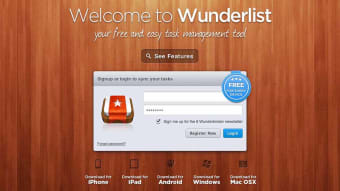
Microsoft's Wunderlist to-do app has been living on borrowed time for a while now. It was back in 2017 when the software giant announced it would be phasing out the app, which strangely enough, Microsoft had only purchased in 2015.
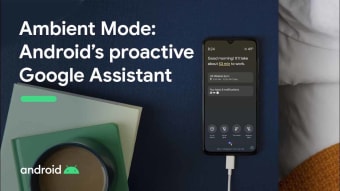
Android's latest Google Assistant powered feature, Ambient Mode, will begin rolling out next week. Google first announced Ambient Mode back in September, telling the world that the feature would turn Android devices into smart devices whenever they're plugged in and charging.
Is TikTok the best app in the world right now? There is an increasing amount of evidence that a lot of people at Facebook and Instagram HQ seem to think so.
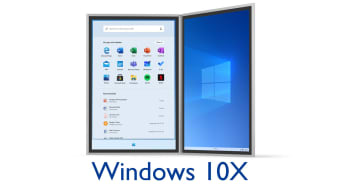
Foldable screens and new dual screen devices have increasingly become the trend. Manufacturers now want to show themselves as forward thinking hardware developers. Microsoft's upcoming Windows 10X operating system has long been rumored to be the software giant's first foray into the dual screen world we all look likely...
According to a recent New York Times article, your phone number has loads of personal information attached to it. Quite often, websites and apps ask us for our phone number when logging in or creating an account.
Every app these days seems to have a new dark mode or one in development. This is due in part to the appearance a slick black background can give but also due to recent research from Google that shows darker colors use up less battery power on devices with...
Foods to avoid to get a good night's sleep If you suffer from insomnia or restless interrupted sleep, make sure you keep a little food and sleep journal, which will enable you to track your sleep patterns in relationship with your eating habits.
The heart muscle requires a constant supply of oxygen-rich blood to nourish it. Coronary arteries are blood vessels that supply the heart muscle with blood and oxygen. Blockage of a coronary artery deprives
starting each day before eating with a drink of warm water stimulates the intestinal peristalsis and helps with sluggish bowel movements . Due to vasodilator effect, it widens the
GOM Player. World's best free desktop video players. Originally famous for its high video and audio quality, and support of multiple video formats (flv, mp4, mov, mpg, ts,